













Description:
Join the Fun with Lomotif: The Easiest Way to Make Your Videos Pop! Ready to turn your video clips into something truly awesome? Lomotif is here to help you create stunning music videos that you’ll want to share everywhere. Whether you’re on Instagram, Facebook, Twitter, Snapchat, or TikTok, Lomotif makes it super easy to add your favorite songs, stitch together your best moments, and share them with the world. And hey, if TikTok ever disappears, you’ll still have Lomotif to keep the good times rolling!
What Makes Lomotif So Cool?
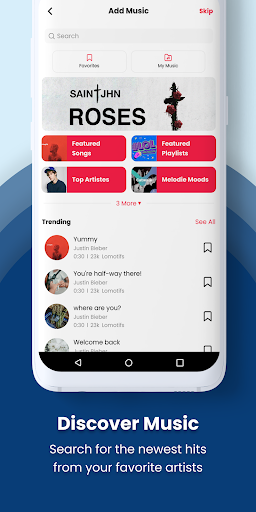
Add Music: Want to bring your videos to life? Just add your favorite songs, and boom! Instant vibe upgrade.
Collage Your Clips: Got a bunch of photos or video clips? Stitch them together into a music video collage in just seconds. No fuss, no hassle.
Save in HD: Keep your creations in HD right on your camera roll, ready to share anytime.
Share Anywhere: Whether it’s Instagram, Twitter, or even via text, you can share your videos effortlessly. Plus, it's a must-have for your selfies and TikTok creations!
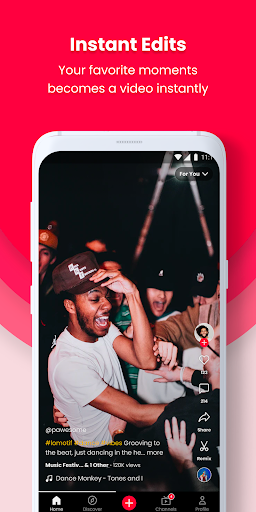
Instant Video Magic
Forget about those complicated video editors! Lomotif automatically transforms your clips into amazing music videos. No editing skills needed—just pick your clips and let Lomotif do the rest.
Edit Like a Pro (But Without the Headache)
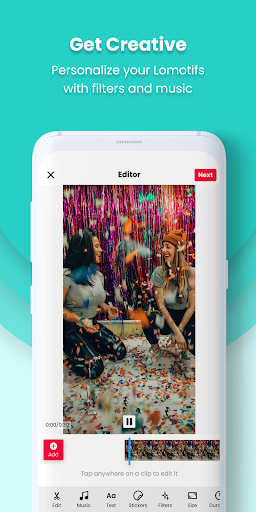
Need to tweak your video a bit? Lomotif’s built-in editor makes it super easy. Trim, rearrange, and select your best moments with just a few taps. It’s all about telling your story, your way.
Choose Your Format
Square or landscape? Lomotif lets you switch between formats with ease. So whether you’re posting to your feed or sending to friends, your video will look just right.
Add Some Flair
Titles? Check. Emojis? You bet! Filters? Absolutely. Lomotif lets you customize your videos with text overlays, emojis, and a bunch of cool filters. Make it yours!
Power Features for the Win
Get your video Instagram-ready with just one click. Want to add some time-lapse magic? Use Hyperlapse. Creating a slideshow? Lomotif’s got you covered.
Share It Your Way
Ready to show the world? Share your video on Instagram, Facebook, or wherever you want. Or, if you’re feeling shy, just keep it saved on your device.
Here’s How to Make Amazing Music Videos in Seconds
Pick your video clips from your camera roll. Add the perfect song to set the mood. Preview your video and see the magic happen. Share it with your friends or save it for later! FAQs
How do I reorder clips? Easy! Just tap and hold the clip’s thumbnail and drag it to where you want it on the timeline.
How do I delete a clip? Tap, hold, and drag the clip to the “—” symbol. It’s gone, just like that!
What’s the max number of clips I can use? With Lomotif’s latest update, the sky’s the limit! Use as many clips as you want—seriously, we’ve tried over a thousand!
Can I add or change filters? Absolutely! Android users now have 7 awesome filters to choose from.
Can I add a title to my video? Yep! Just type it in the “Enter a Title” section on your Create screen. Customize the font and color to make it pop.
Need Help? If you run into any issues, just use the “Send Feedback” form in the app. We usually reply within a day or two!















